Smart glasses can be worth packing if you want hands-free photos, quick voice help, translation support, or easier access to directions while traveling. They are less useful if you only need basic navigation, casual photos, or a lighter tech setup.
For most travelers, smart glasses work best as a helpful extra, not a phone replacement. They can make sightseeing, filming, and checking information easier, but battery life, privacy rules, app support, and internet access still matter.
What Smart Glasses Can Do For Travelers
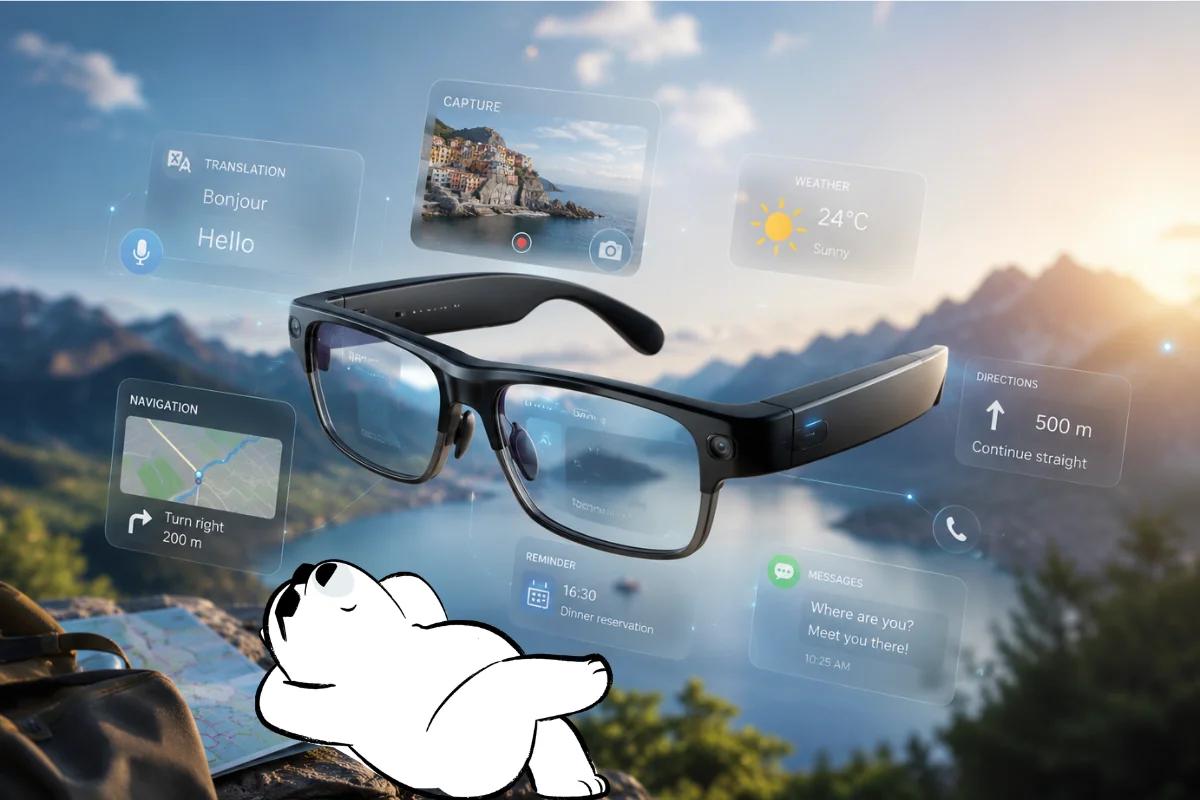
Most smart glasses look close to regular eyewear but add small tech features such as speakers, microphones, cameras, voice assistants, or display overlays. The exact features depend on the model.
For travelers, the most useful features are usually:
- Hands-free photos and short videos
- Voice commands for quick questions or controls
- Open-ear audio for calls, directions, or translation
- AI assistance through a connected phone app
- Light navigation support on some models
They can be helpful when your hands are full, when you want to capture a quick moment, or when pulling out your phone feels inconvenient. They are not always ideal for detailed research, long messages, or anything that needs a large screen.
When Smart Glasses Are Actually Useful Abroad
Smart glasses with camera features are most useful for active travel moments. They can capture what you are seeing without holding a phone in front of your face.
They work especially well for walking tours, cycling routes, hiking viewpoints, food markets, theme parks, travel vlogging, and family trips where you want more natural clips.
They can also help with travel tools that already rely on your phone. For example, AI assistants can support quick itinerary questions, while translation apps can help with menus, signs, and short conversations. For more options, see travel AI tools and translation apps for travelers.
Navigation is useful too, but with limits. Some glasses can give audio directions or quick visual cues, yet your phone is still better for checking maps, routes, public transport details, and saved places. For practical map features, see Google Maps for travel.
Get Eskimo eSIM to stay connected globally
Need internet while travelling? Here's what we recommend:

Fixed data plans
- No speed reduction
- No expiry, keep your data forever
- Transfer data to anyone
- Personal hotspot


What To Check Before You Pack Them
Before adding smart glasses to your travel bag, check the basics carefully. A pair that feels clever at home can become annoying if it needs constant charging or works poorly with your travel apps.
Look at:
- Battery life: Some models are better for short outings than full-day sightseeing.
- Camera quality: Good lighting matters, especially for small wearable cameras.
- Storage and uploads: Videos can take space and may need Wi-Fi or mobile data to back up.
- Comfort: Weight matters when you wear them for hours.
- Prescription support: Not every model works well for every eyesight need.
- Local rules: Museums, religious sites, airports, and private venues may restrict recording.
- Privacy etiquette: Do not record people closely without permission.
If you are packing for a first international trip, keep your setup simple. Smart glasses can be useful, but your phone, charger, documents, payment cards, and mobile data should come first. A practical checklist helps you avoid packing extras before essentials.
Do Smart Glasses Need Internet While Traveling?
Some features work without constant internet, such as taking photos, recording short clips, or using built-in audio controls. Many of the best travel features work better with a phone connection.
AI smart glasses may need mobile data for live assistance, cloud-based AI responses, translation, voice search, app syncing, or uploading media. Even when the glasses connect through Bluetooth, the phone often does the heavy lifting.
That makes mobile data important for travelers who plan to use smart glasses for more than quick photos. You may need data for maps and route updates, translation tools, AI assistants, cloud photo backup, messaging apps, ride-hailing, and hotel updates.
For trips across multiple countries, an eSIM can reduce the friction of buying local SIM cards or hunting for airport Wi-Fi. Learn how eSIM works for international travel.
Are Smart Glasses Worth It For Travel?
Smart glasses are worth it for travelers who enjoy hands-free content, AI tools, or wearable tech. They are less essential for travelers who prefer to travel light or only use their phone for maps and photos.
They are best for travel creators, frequent walkers, theme park visitors, cyclists, hikers, tech-friendly travelers, and people who like hands-free audio and quick voice controls.
They may not be worth packing if you dislike charging extra devices, rarely take videos, prefer simple travel gear, visit many privacy-sensitive places, or expect them to replace your phone.
The smartest approach is to treat them as a travel accessory. They can make some moments easier and more fun, but they still depend on good planning, a charged phone, and reliable connectivity.
Keep Your Travel Tech Simple Abroad
Smart glasses are most useful when the rest of your travel setup works smoothly. Maps, AI tools, translation apps, hotel messages, and photo backups all depend on having data when Wi-Fi is not available.
Eskimo offers a Global Plan for travelers visiting one or multiple destinations, with one eSIM that can stay installed for future trips. That helps keep your phone connected while your smart glasses handle quick photos, audio, or AI-assisted tasks on the move.
New Eskimo users can also get free 500MB of Global Data, which is useful for testing mobile data before a bigger trip.
FAQs
Are smart glasses good for travel?
Yes, smart glasses can be good for travel if you want hands-free photos, videos, audio directions, AI help, or translation support. They are most useful as an accessory, not as a replacement for your phone.
Can smart glasses translate languages?
Some smart glasses can support translation through connected apps or AI features, but performance depends on the model, app, language, microphone quality, and internet connection. For serious travel translation, keep a translation app on your phone too.
Are smart glasses with camera allowed everywhere?
No. Rules vary by location. Some museums, religious sites, shows, private venues, airports, or government areas may restrict recording. Always check signs and avoid recording people closely without permission.
Do smart glasses work without a phone?
Some basic features may work without a phone, but many smart glasses need a paired phone for setup, app controls, AI features, internet access, syncing, and media sharing.
Are Ray-Ban smart glasses good for travel?
Ray-Ban smart glasses can be useful for travel photos, short videos, calls, and open-ear audio, depending on the model. They are best for casual travel content and hands-free convenience, not for replacing a camera or phone.
Are Meta smart glasses the same as augmented reality glasses?
Not exactly. Many Meta smart glasses focus on camera, audio, voice, and AI features. Full augmented reality glasses usually add visual overlays or displays, which not all smart glasses have.