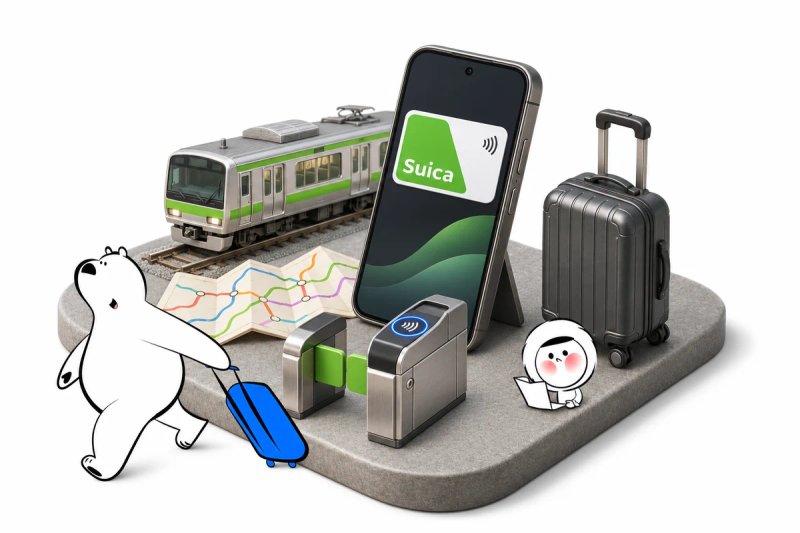
Using Suica for Android depends entirely on where you bought your phone. Devices purchased outside Japan lack the required Osaifu-Keitai hardware, preventing international tourists from adding digital transit cards directly. Travelers with foreign Android devices must use physical IC cards or regional alternatives instead.
Foreign tourists frequently expect mobile transit cards to work identically across iOS and Android. While iPhones contain universal hardware support, Android models sold outside the Japanese domestic market cannot activate digital transit passes. Understanding these hardware limits prevents delays when arriving at major transport hubs.
Device Compatibility for Suica on Android
Mobile transit integration on Android relies on specific hardware architecture developed for Japanese payment terminals. Only devices manufactured with native Osaifu-Keitai capability can register Japanese contactless transit passes.
Standard international Android smartphones do not include the necessary FeliCa mobile integration profiles. Even if your phone features standard NFC for tap-to-pay purchases back home, it will fail to communicate with transit ticket gates managed by East Japan Railway Company. Changing your Google Play store region or sideloading regional APK files will not bypass this physical chip restriction.
Domestic Japanese Android devices, including carrier-branded models and Japanese retail editions of Google Pixel handsets, contain the required hardware. If you own an Android device purchased in Japan, you can configure your transit account normally.
Setting Up a Suica Card on Google Wallet
Setting up a digital transit card on a compatible device takes only a few minutes inside system settings. Eligible users can complete registration without visiting a physical ticket window.
To add a card, open Google Wallet on your compatible device, select the option to add a payment method, and choose Transit card. Search for Suica in the transport menu, accept the service terms, and load funds using a linked payment card.
Users managing a suica card google wallet integration must ensure their linked credit card permits international mobile transactions. Visa cards issued by non-Japanese banks sometimes encounter payment authentication blocks in transit applications. Linking a Mastercard or American Express card generally provides higher transaction success rates during mobile wallet reloads.
The Reality of How to Use Suica on Android Outside Japan
Travelers often search for how to use suica on android outside japan before embarking on their journey. The direct answer is that you cannot register or use digital Suica on an international Android phone purchased outside the Japanese market.
Global models from manufacturers like Samsung, Motorola, and Xiaomi do not carry the specialized Japanese contactless middleware. Because this restriction originates at the hardware assembly level, no software patch or virtual private network can activate the card. Attempting to add a card will simply result in an error indicating your device is unsupported.
The primary exception involves international tourists who deliberately purchase domestic unlocked Japanese Android phones. Unless you specifically acquired your handset in Japan, expect to use non-mobile ticketing options throughout your stay.
Get Eskimo eSIM to stay connected in Japan
Need internet in Japan? Here's what we recommend:

Fixed data plans
- No speed reduction
- No expiry, keep your data forever
- Transfer data to anyone
- Personal hotspot



Unlimited data plans
- Unlimited day pass
- Daily 3GB high-speed + 1Mbps unlimited after
- Personal hotspot


Transit Alternatives for International Android Users
Visitors unable to deploy a digital suica android tourist setup have several reliable physical and contactless alternatives. Japan's nationwide transit network remains accessible through standard physical media.
Physical IC cards operate seamlessly across subways, private commuter rails, buses, and convenience stores nationwide. The Welcome Suica pass serves overseas arrivals specifically, offering a 28-day validity window with no initial deposit requirement. Visitors arriving at Tokyo airports can purchase these red tourist passes directly from dedicated multilingual vending kiosks.
When budgeting transport expenses alongside your total how much does a trip to Japan cost estimates, physical cards provide clear accounting because fares deduct instantly at station gates. Passengers heading south toward Osaka, Kyoto, or Hiroshima can purchase an ICOCA card, which functions across the same nationwide network as Suica.
Tap-to-pay credit cards are expanding across regional transport operators, including Tokyo Metro and Tokyu railway lines. While open-loop credit payments do not yet cover every single JR East train gate, they offer a convenient backup when physical ticket lines grow long.
| Ticketing Option | Compatibility | Where to Buy | Reload Method | Best For |
| Digital Suica (Android) | Japanese domestic phones only | Google Wallet app | Linked credit card | Domestic Android owners |
| Welcome Suica | All travelers | Haneda and Narita airports | Cash at ticket machines | Short-term Tokyo arrivals |
| Physical ICOCA | All travelers | Kansai stations and airports | Cash at ticket machines | Western Japan arrivals |
| Open-Loop Credit Tap | Contactless cards | At station gates directly | Billed to card balance | Occasional metro riders |
Comparing Suica Alternatives for Android in Japan
Selecting among the best suica alternatives for android in japan depends on your arrival airport and route itinerary. Each method delivers distinct benefits regarding refund policies and convenience.
Welcome Suica cards eliminate the standard 500-yen deposit, making them practical for quick holidays. However, any funds loaded onto a Welcome Suica cannot be refunded at departure, requiring travelers to spend remaining balances at airport shops. Regular IC cards like ICOCA require a 500-yen refundable deposit but allow balance recovery before departing Japan.
Travelers who often build multi-destination Asian itineraries or check the best time to visit Malaysia will appreciate that Japan's physical transit cards remain valid for ten years from last use. Retaining a regular physical card allows effortless transit access on future visits across Tokyo, Osaka, and Fukuoka.
Mobile Data For A Japan Rail Trip
Mobile data helps with digital train timetables, platform route navigation, station transfers, and translation across railway networks. Coverage is generally stronger in metropolitan districts and along primary rail corridors, while signal may weaken inside deep subway basements, mountain rail tunnels, and rural alpine routes.
An Eskimo Japan eSIM plan can be installed before arrival, while Eskimo's coverage across 175 countries and regions is useful for travelers continuing onward to neighboring Asian destinations. No-expiry fixed data can remain available for a future journey if the entire balance is not consumed in Japan.
New users can also claim a free 500MB Global eSIM.
Frequently Asked Questions
Can I use Suica on a Samsung phone bought in the United States?
You cannot use digital Suica on an American Samsung phone because international models lack the necessary Osaifu-Keitai hardware. Travelers should purchase a physical Welcome Suica or regular IC card upon arrival at the airport.
Why does Suica work on international iPhones but not Android?
Apple includes global FeliCa hardware across all modern iPhone models, whereas Android manufacturers restrict this specialized chip architecture to devices sold within the Japanese domestic market.
Where can I buy a physical transit card if Suica is sold out?
If standard Suica cards face temporary chip inventory limits, travelers can buy a Welcome Suica at major airport stations or purchase an ICOCA card when traveling through the Kansai region.
Can I reload a physical Welcome Suica with a credit card?
Physical IC cards in Japan generally require cash for balance reloads at station ticket machines. Travelers should keep Japanese yen banknotes on hand to top up cards throughout their trip.
Conclusion
International Android smartphones do not support digital Suica because foreign hardware lacks domestic Japanese transit chips. Travelers carrying Android devices should secure a physical Welcome Suica at Tokyo airports or buy an ICOCA card in western Japan. Both options provide immediate, tap-and-go access to trains, subways, and convenience stores nationwide. Pick up your physical transit pass right after baggage claim and keep Japanese yen on hand for station ticket machine reloads.