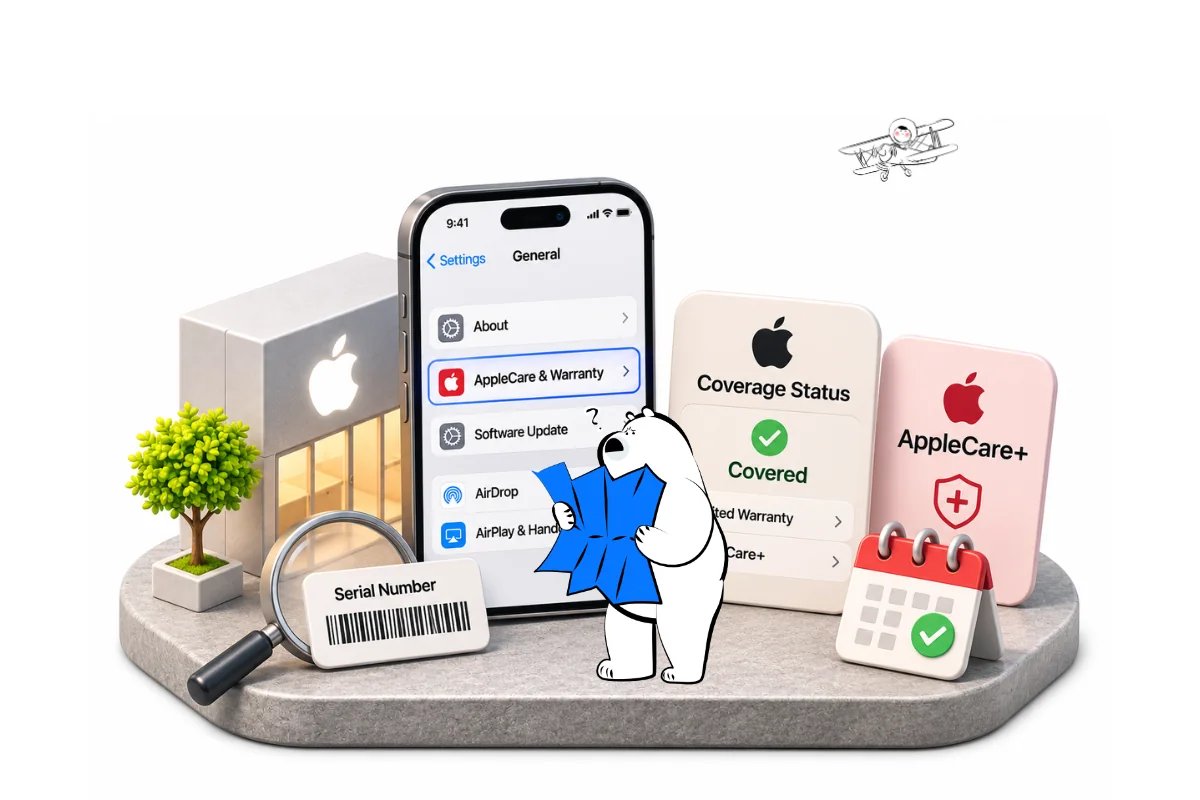
To learn how to check iPhone warranty, open Settings > General > AppleCare & Warranty and select your iPhone. You can also use Apple’s Check Coverage website with its serial number or sign in to My Support. These methods help confirm coverage before a repair or overseas trip.
How to Check iPhone Warranty in Settings
The fastest iPhone warranty check is usually built into the device. The AppleCare & Warranty menu can show the coverage type and available expiration information.
- Open Settings on your iPhone.
- Tap General.
- Select AppleCare & Warranty.
- Tap your iPhone to review the displayed coverage details.
If the menu is missing or the information seems incomplete, use Apple’s online tools instead. Apple’s official AppleCare coverage instructions describe this Settings path.
How to Check iPhone Warranty by Serial Number
To check iPhone warranty by serial number, copy the serial number from Settings > General > About and enter it on Apple’s official Check Coverage website. The serial number identifies the device; an IMEI is a different identifier.
If the phone will not turn on, Apple’s serial-number instructions explain alternatives, including the original packaging, a connected computer or your Apple Account device list. Avoid posting serial numbers or IMEI details publicly.
| Method | What You Need | Best For | Main Limitation |
| iPhone Settings | Access to the iPhone | Fast on-device status check | Device must be usable |
| Check Coverage | iPhone serial number | Checking without opening the warranty menu | Requires accurate serial number |
| My Support | Apple Account sign-in | Viewing linked devices and coverage documents | Device must be associated with the account |
How to Check AppleCare on iPhone
To find out how to check AppleCare on iPhone, open Settings > General > AppleCare & Warranty and select the device. If AppleCare+ is attached, review the plan details and displayed coverage dates rather than assuming every repair is included.
If your display is damaged, review whether Apple warranty covers a cracked screen before arranging a repair.
Common plan statuses include:
- AppleCare+ with active monthly or annual coverage
- Limited Warranty with hardware-only coverage
- Coverage Expired when the initial period ends
Apple’s AppleCare+ guidelines describe how accidental-damage incidents and service fees apply.
Get Eskimo eSIM to stay connected globally
Need internet while travelling? Here's what we recommend:

Fixed data plans
- No speed reduction
- No expiry, keep your data forever
- Transfer data to anyone
- Personal hotspot


What iPhone Warranty and AppleCare Actually Cover
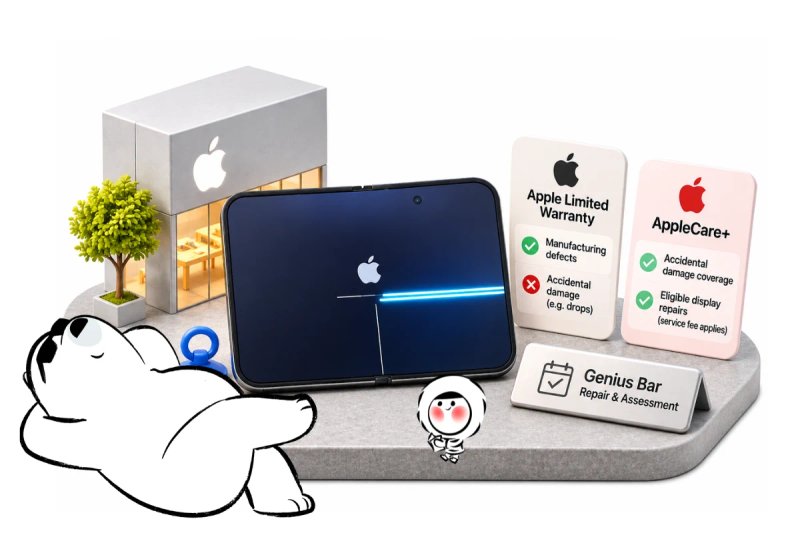
An active warranty status does not mean every repair is free. Apple’s standard limited warranty focuses on manufacturing defects, not accidental damage, drops or liquid exposure.
Key differences to keep in mind:
- Limited Warranty: Covers manufacturing defects for hardware; excludes accidental screen cracks and liquid ingress.
- AppleCare+: Includes accidental damage protection subject to incident fees and applicable terms.
- Consumer Law: Some countries provide statutory consumer guarantees beyond Apple’s manufacturer warranty.
Apple’s legal warranty documentation sets out regional exceptions and claim procedures.
How to Check Expiry Dates and Repair Eligibility
The expiration date shown in Settings or Check Coverage marks the end of the standard warranty or active AppleCare+ coverage period. Knowing this date helps you determine whether a service request is covered before you schedule an appointment.
If a purchase date is inaccurate or missing, Apple may display an estimated expiration date. You can submit your original sales receipt to Apple to correct an estimated purchase date so your warranty reflects the actual purchase date.
Traveling Overseas: Warranty and Service Caveats
Checking your warranty before an international trip is wise, but service rules change when you cross borders. Apple’s limited warranty may restrict service to the country where the device was originally sold.
Key travel considerations include:
- Parts and Model Variations: Regional hardware differences can delay or prevent repairs in other countries.
- AppleCare+ International Terms: Service abroad is subject to local parts availability and authorized provider policies.
- Replacement Phones: If your iPhone requires a replacement, Eskimo’s eSIM-compatible phones and devices list can help you check whether a replacement model supports travel eSIMs.
Mobile Data for Apple Support While Traveling
Checking coverage while abroad may require access to Apple’s support website, an email receipt, a repair appointment confirmation or directions to a service location. Mobile reception is usually more dependable in populated areas than in remote roads or underground spaces, and availability depends on local networks.
An Eskimo Global eSIM plan can suit travelers moving between countries, subject to the destinations included in the selected plan. Eskimo states an overall footprint of 175 countries and regions, which can help with multi-country trips even though a particular Global plan covers fewer destinations. Its universal eSIM can be reused across eligible destinations, reducing the need to install a different travel eSIM for each stop.
New users can also claim a free 500MB Global eSIM.
Frequently Asked Questions
Can I check iPhone warranty without a receipt?
Yes. Apple’s Settings and online coverage tools can show recorded warranty information without a receipt. Apple may request proof of purchase to correct an inaccurate purchase date or confirm eligibility.
Can I check Apple warranty using an IMEI?
Apple’s public Check Coverage workflow uses the device’s serial number. Find it under Settings > General > About rather than assuming an IMEI can replace it in that form.
How do I find my iPhone warranty expiration date?
Open Settings > General > AppleCare & Warranty and select your iPhone. You can also sign in to My Support to see the coverage information Apple has recorded.
Does an active iPhone warranty mean free screen repair?
No. Accidental screen damage is generally excluded from the standard limited warranty. AppleCare+ may provide eligible accidental-damage service with a fee, depending on the plan.
Can I check iPhone warranty in another country?
Yes, Apple’s online coverage tools can be accessed while abroad when you have an internet connection. However, available repair services and warranty restrictions can differ by country.
Conclusion
You can check your iPhone’s warranty in Settings, through Apple’s serial-number coverage checker or by signing in to My Support. Start with Settings if the phone works; use the serial-number route if you need to check coverage from another device.
Before booking a repair, confirm whether the record shows a limited warranty or AppleCare+, and review the terms for your specific issue. If the purchase date looks wrong or you need service abroad, contact Apple with your device details and proof of purchase where available.