
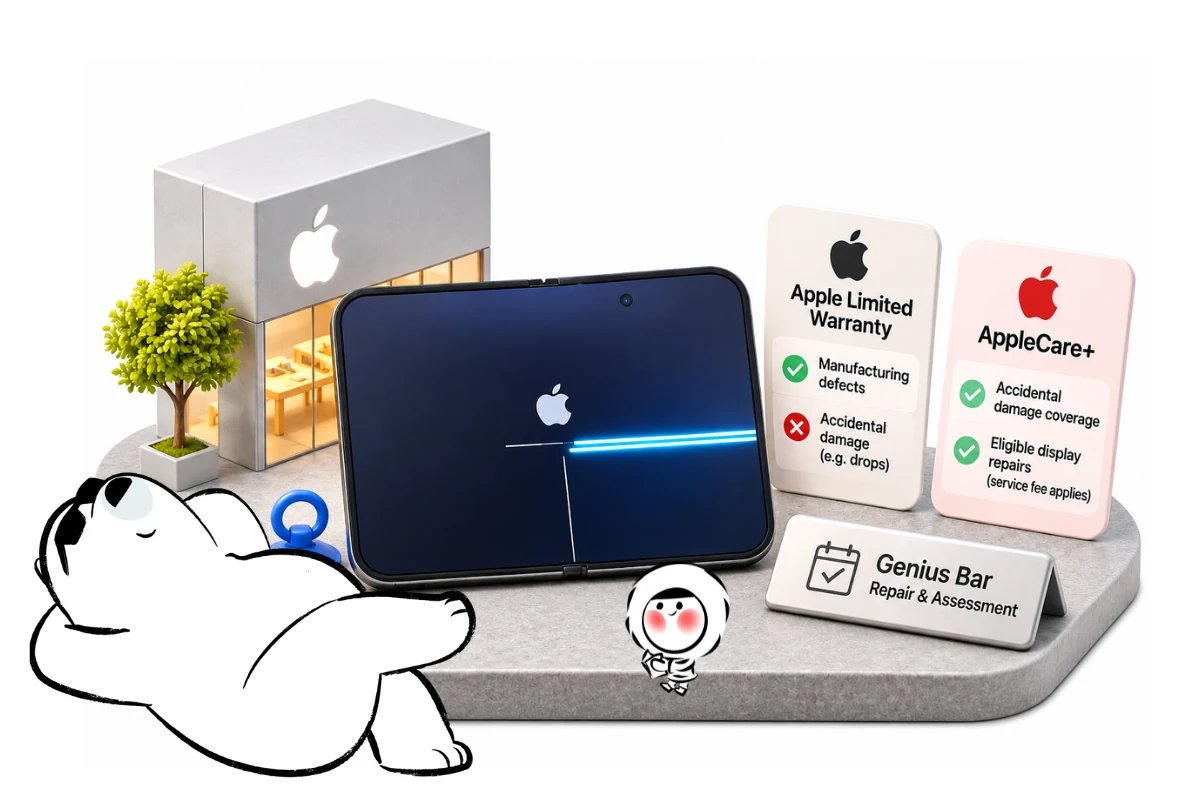
Does Apple warranty cover cracked screen damage? Usually not when the crack results from an accident. Apple’s limited warranty may cover a manufacturing defect after inspection, while AppleCare+ can cover eligible accidental damage for a service fee. iPhone Duo owners with suspected display faults should contact Apple.
Reports of cracked iPhone Duo displays have brought renewed attention to Apple’s repair policies. However, the cause of the damage, the type of coverage, and Apple’s assessment determine whether a repair is free, discounted, or fully chargeable.
Does Apple Warranty Cover a Cracked Screen?
Apple’s standard one-year limited warranty generally does not cover a cracked iPhone screen caused by accidental damage. However, a display failure resulting from a manufacturing defect may qualify for warranty service after Apple examines the device.
According to Apple’s official limited warranty, eligible hardware defects are covered for one year from the original retail purchase date, subject to applicable terms and consumer protection laws.
The warranty generally excludes damage caused by:
- Accidental drops or impacts.
- External pressure or misuse.
- Liquid exposure.
- Unauthorized modifications or certain improper repairs.
- Normal wear and tear.
A cracked screen is not automatically classified as accidental damage in every situation. Apple must assess the circumstances and the device’s condition before determining whether a manufacturing defect is responsible.
Apple warranty vs. AppleCare+ for cracked screens
The main difference is that Apple’s standard warranty covers eligible manufacturing defects, while AppleCare+ can also provide accidental-damage protection.
| Damage or Coverage Situation | Apple Limited Warranty | AppleCare+ | Recommended Action |
| Screen cracked after an accidental drop | Generally not covered | Usually eligible, subject to terms and service fees | Request a repair estimate |
| Screen failed because of a manufacturing defect | May be covered after inspection | May also qualify for applicable service | Ask Apple to assess the defect |
| Screen cracked without an obvious impact | Screen cracked without an obvious impact | May cover eligible accidental damage | Document the damage and request inspection |
| Cosmetic scratches without functional damage | Generally excluded | Usually excluded when purely cosmetic | Review the applicable coverage terms |
| Warranty expired and no AppleCare+ | Not covered under the expired warranty | Not applicable | Request a paid repair estimate and check consumer-law rights |
Important: AppleCare+ coverage, service fees, and eligibility depend on the applicable plan, country, and device.
Consumer protection laws may also provide rights beyond Apple’s limited warranty.
Cracked Screen From a Defect vs. Accidental Damage
The cause of the screen damage is the key factor in determining warranty eligibility. Accidental cracks are generally excluded from Apple’s limited warranty, while defects in materials or workmanship may qualify.
Two iPhones can have similar-looking screen damage but receive different service decisions.
Accidental screen damage
Accidental damage occurs when an external event causes the screen to crack or malfunction.
Common examples include:
- Dropping an iPhone onto a hard surface.
- Crushing the device under a heavy object.
- Applying excessive pressure to the display.
- Damaging the screen during an impact.
If the screen breaks because of one of these incidents, the standard Apple warranty generally will not pay for the repair.
An eligible AppleCare+ plan may provide coverage instead.
Manufacturing defects
A manufacturing defect involves a problem with the device’s materials or workmanship under normal use.
For example, an internal component failure could potentially damage the display without an obvious external impact.
However, a crack appearing during normal use does not automatically prove a manufacturing defect.
Apple may examine the display, frame, hinge, and other components to determine what caused the failure.
What if your iPhone screen cracked by itself?
If your iPhone screen cracked by itself, avoid assuming that Apple will automatically replace it for free.
Instead, take the following steps:
- Photograph the damage from several angles.
- Record when you first noticed the crack.
- Note whether the phone was dropped, bent, or exposed to unusual pressure.
- Check whether the display still responds to touch.
- Contact Apple Support and explain the circumstances accurately.
If the damage appears to involve an internal failure, request a professional assessment.
Do not attempt to bend the device back into shape, apply pressure to the screen, or open the phone yourself.
Does AppleCare+ Cover a Cracked iPhone Screen?
Yes, AppleCare+ generally covers eligible accidental iPhone screen damage, subject to the plan’s service fees and conditions. Unlike the standard limited warranty, AppleCare+ is designed to provide additional protection against accidental damage.
If you accidentally drop your iPhone and crack its display, an active AppleCare+ plan may reduce your repair cost.
However, AppleCare+ is not the same as free unlimited repairs.
What AppleCare+ covers
Depending on the plan and country, AppleCare+ may provide benefits such as:
- Accidental screen-damage service.
- Accidental damage protection for other eligible components.
- Hardware service for covered failures.
- Additional technical support.
- Replacement options when the device qualifies.
The specific benefits depend on the coverage purchased.
For example, screen-only damage and damage involving additional components may be treated differently under the applicable service terms.
Is AppleCare+ screen repair free?
Usually, no.
AppleCare+ accidental-damage repairs generally involve a service fee.
The amount depends on the plan, repair category, device, and country.
You can review the applicable options through Apple’s official iPhone repair service.
Apple provides estimated repair costs, but the final amount is determined after the device is inspected.
Does AppleCare+ cover every cracked screen?
No. AppleCare+ does not guarantee that every type of damage qualifies for service.
Coverage is subject to exclusions and the terms of the relevant plan.
For example, purely cosmetic damage that does not affect functionality may not qualify for accidental-damage service.
If the damage involves a manufacturing defect rather than an accident, Apple’s limited warranty or applicable consumer-law protections may be relevant instead.
What Apple Has Said About iPhone Duo Screen Cracks
According to October 2026 reporting, Apple acknowledged an inner-display issue affecting a small number of iPhone Duo devices. The company reportedly advised customers experiencing the problem to contact AppleCare for a replacement.
The issue attracted attention shortly after the foldable iPhone Duo became available on October 23, 2026.
Some owners reported cracks or display abnormalities appearing near the folding hinge.
What happened to the iPhone Duo?
Following the launch, reports described several iPhone Duo devices developing cracks along the inner display.
Some affected users reported visible lines, dark spots, or display damage near the hinge.
On October 26, 2026, MacRumors reported Apple’s response, stating that the company was aware of an issue affecting a small number of devices.
According to that report, Apple directed affected owners to contact AppleCare for a replacement.
The company did not publicly establish a definitive technical cause in the reported statement.
Does Apple replace affected iPhone Duo devices?
According to the October 26 report, Apple advised owners experiencing the acknowledged inner-display issue to contact AppleCare for a replacement.
This is an important distinction from an ordinary accidental screen crack.
An affected iPhone Duo may qualify for replacement because of the reported display issue rather than through AppleCare+ accidental-damage protection.
However, individual service eligibility still depends on Apple’s assessment.
An October 30 report from MacRumors described service guidance directing technicians to inspect affected devices and follow Apple’s repair or replacement procedures.
The reporting did not identify a publicly announced general recall or a separate public repair program.
What should iPhone Duo owners do?
If your iPhone Duo develops an unusual crack near the hinge:
- Stop repeatedly folding or unfolding the device if the display appears damaged.
- Photograph the crack and any unusual display behavior.
- Back up your data if the device remains safe and functional.
- Contact Apple Support and describe the issue.
- Request an assessment through Apple or an Apple Authorized Service Provider.
Do not attempt to remove the inner display, press down on the hinge, or repair the folding mechanism yourself.
The reported iPhone Duo issue does not mean every cracked iPhone screen qualifies for a free replacement.
Apple’s standard warranty exclusions still apply to unrelated accidental damage.
How to Check Your Coverage Before Requesting Service
You can check your iPhone’s warranty and AppleCare+ status directly in Settings or through Apple’s official coverage website. This helps identify your available service benefits before you arrange a repair.
Checking coverage does not determine whether a specific crack qualifies for free service.
Apple may still need to inspect the device.
Get Eskimo eSIM to stay connected globally
Need internet while travelling? Here's what we recommend:

Fixed data plans
- No speed reduction
- No expiry, keep your data forever
- Transfer data to anyone
- Personal hotspot


Check coverage on your iPhone
On a compatible iPhone:
- Open Settings.
- Select General.
- Tap AppleCare & Warranty.
- Select your iPhone.
- Review the available coverage information.
The exact menu labels may vary by iOS version.
You may see information about the limited warranty, an active AppleCare plan, or expired coverage.
Check coverage using Apple’s website
You can also visit Apple’s official coverage checker.
Sign in with your Apple Account or enter your device’s serial number.
To find your serial number, open Settings > General > About.
If Apple’s records appear incorrect, contact Apple Support and provide proof of purchase when requested.
How Much Does a Cracked iPhone Screen Repair Cost?
The cost of repairing a cracked iPhone screen depends on the model, damage, country, and available coverage. AppleCare+ may reduce the cost of eligible accidental repairs, while out-of-warranty service can be substantially more expensive.
There is no single repair price that applies to every iPhone.
Repair cost without AppleCare+
Without AppleCare+, accidental screen damage is generally treated as an out-of-warranty repair.
The cost can vary according to:
- iPhone model.
- Screen and display assembly.
- Additional damage to the frame or other components.
- Country and local service pricing.
- Whether Apple or an authorized provider performs the repair.
For example, a cracked display accompanied by structural damage may require more extensive service than a screen-only repair.
Apple’s iPhone repair estimate tool provides model-specific estimates where available.
The final price is confirmed after inspection.
Repair cost with AppleCare+
With an eligible AppleCare+ plan, accidental screen repair is generally subject to a service fee.
That fee may be lower than the corresponding out-of-warranty repair cost.
However, additional damage can affect which service category applies.
Check your specific AppleCare+ terms rather than relying on repair prices quoted for another country or iPhone model.
Can Apple repair a cracked screen for free?
A free repair may be available if Apple determines that the damage resulted from a covered manufacturing defect.
A qualifying repair may also be available under applicable consumer protection laws.
An accidental crack is generally not repaired for free under the standard limited warranty.
AppleCare+ accidental-damage service usually involves a fee.
How to Get a Cracked iPhone Screen Assessed
Apple can assess a cracked iPhone through an Apple Store, an Apple Authorized Service Provider, or an available mail-in service. The assessment determines the repair options, applicable coverage, and final service cost.
If you believe the screen failed because of a manufacturing defect, explain the circumstances before accepting a paid repair.
1. Contact Apple Support
Start through Apple’s official support service.
Select your iPhone and describe the screen problem.
Apple may provide troubleshooting instructions or help arrange an inspection.
2. Choose a repair location
Depending on your country and device, available options may include:
- An Apple Store Genius Bar.
- An Apple Authorized Service Provider.
- Mail-in repair.
- Other eligible service arrangements.
Service availability can vary by location, model, and parts availability.
3. Prepare your iPhone
Before handing over your device:
- Back up important photos, messages, and files.
- Follow Apple’s instructions for preparing the device for service.
- Keep proof of purchase available if requested.
- Confirm whether Find My must be turned off for the selected service.
- Check the status of your SIM or eSIM before any device replacement.
Apple may erase the device during service, so a current backup is essential.
If your iPhone uses an eSIM, avoid deleting it until you have confirmed the provider’s transfer or reinstallation process.
For travelers who use a digital SIM, Eskimo’s iPhone eSIM installation guide explains the available setup methods.
4. Review the repair decision
After inspecting the device, Apple or the authorized provider can explain:
- Whether the damage qualifies for warranty coverage.
- Whether AppleCare+ applies.
- Whether a service fee is required.
- Whether repair or replacement is available.
If the issue is not covered, ask for the repair estimate before authorizing paid service.
If you disagree with the assessment, request clarification about the reason for the decision and the available escalation options.
Before paying for a repair, check your coverage and request Apple’s assessment. This helps distinguish accidental damage from a potentially covered defect.
Can You Claim Screen Repair While Traveling?
Apple warranty service may be available while traveling internationally, but service eligibility and availability can vary by country and device. Apple may restrict certain iPhone warranty services to the country where the device was originally sold.
This matters if your screen breaks during an overseas trip.
Even when your warranty is active, an overseas Apple Store may not be able to provide the same repair or replacement options available in your home country.
Check international service availability
Before visiting a repair location abroad:
- Contact Apple Support in your current country.
- Provide your iPhone model and coverage information.
- Explain where the device was purchased.
- Ask whether local repair or replacement service is available.
- Confirm any applicable service fees and expected availability.
Apple’s warranty terms allow certain country-specific service restrictions.
Parts availability, regional device differences, and local service arrangements may also affect your options.
What if your iPhone is replaced overseas?
If Apple replaces your iPhone, you may need to restore your data and configure mobile connectivity again.
A replacement device does not necessarily inherit every installed eSIM profile automatically.
Before deleting an existing eSIM, check your provider’s replacement-device policy and confirm the correct installation process.
If the replacement iPhone cannot access mobile data, Eskimo’s iPhone cellular data troubleshooting guide covers common connectivity settings and checks.
Keeping your Apple Account credentials and a recent backup accessible can make the replacement process easier.
Mobile Data During an Overseas iPhone Repair
Mobile data can help travelers arrange Apple repair appointments, receive service updates, access digital travel documents, and navigate to an authorized repair location. In major cities, reception is generally stronger around commercial districts and transport routes, although underground stations and large buildings can weaken the signal. If your iPhone is unusable, you may need another compatible device to access these services.
An Eskimo Global eSIM plan can be useful for travelers visiting multiple eligible destinations. Eskimo’s overall network footprint spans 175 countries and regions, which can support future international trips without relying on a separate provider for every journey, although individual plan coverage varies. Its universal eSIM feature allows travelers to use one reusable eSIM across supported destinations, subject to device compatibility and provider conditions.
New users can also claim a free 500MB Global eSIM.
Frequently Asked Questions
Does Apple warranty cover cracked screen damage?
Apple’s standard limited warranty generally excludes accidental screen damage.
However, a cracked screen caused by a manufacturing defect may qualify for warranty service after Apple assesses the device.
Does AppleCare cover cracked screen repairs?
AppleCare+ generally covers eligible accidental screen damage, subject to the applicable service fee and plan terms.
Apple’s standard limited warranty does not provide the same accidental-damage protection.
What if my iPhone screen cracked without being dropped?
A crack appearing without a known drop does not automatically establish a manufacturing defect.
Document the damage and ask Apple to inspect the device to determine whether warranty coverage applies.
Can Apple replace a cracked iPhone Duo for free?
According to October 2026 reporting, Apple advised owners experiencing the acknowledged inner-display issue to contact AppleCare for a replacement.
Individual eligibility depends on Apple’s assessment.
Does a third-party screen repair void my Apple warranty?
A third-party repair does not automatically cancel every remaining warranty right.
However, damage caused by unauthorized service may be excluded from Apple’s limited warranty, and Apple may assess the device’s condition before providing further service.
Conclusion
Apple’s standard limited warranty generally does not cover cracked iPhone screens caused by accidental damage. However, if the damage results from a manufacturing defect, Apple may provide warranty service after inspecting the device. AppleCare+ offers additional protection for eligible accidental damage, subject to applicable service fees and terms.
If your iPhone screen cracks unexpectedly, document the damage, check your warranty status, and contact Apple Support before paying for repairs. For iPhone Duo owners experiencing the reported inner-display issue, requesting an official Apple assessment is the best next step.