Neither iPhone nor Android is better for everyone. iPhone is usually the more natural fit for people already invested in Apple products and who value a consistent, tightly integrated experience. Android offers far more device choice and generally more scope for customization.
For international travel, the answer becomes even more device-specific. Both platforms can work very well abroad, but travelers should check the exact phone’s eSIM and dual-SIM support, carrier-lock status, purchase region and supported cellular bands rather than choosing on the operating system alone.
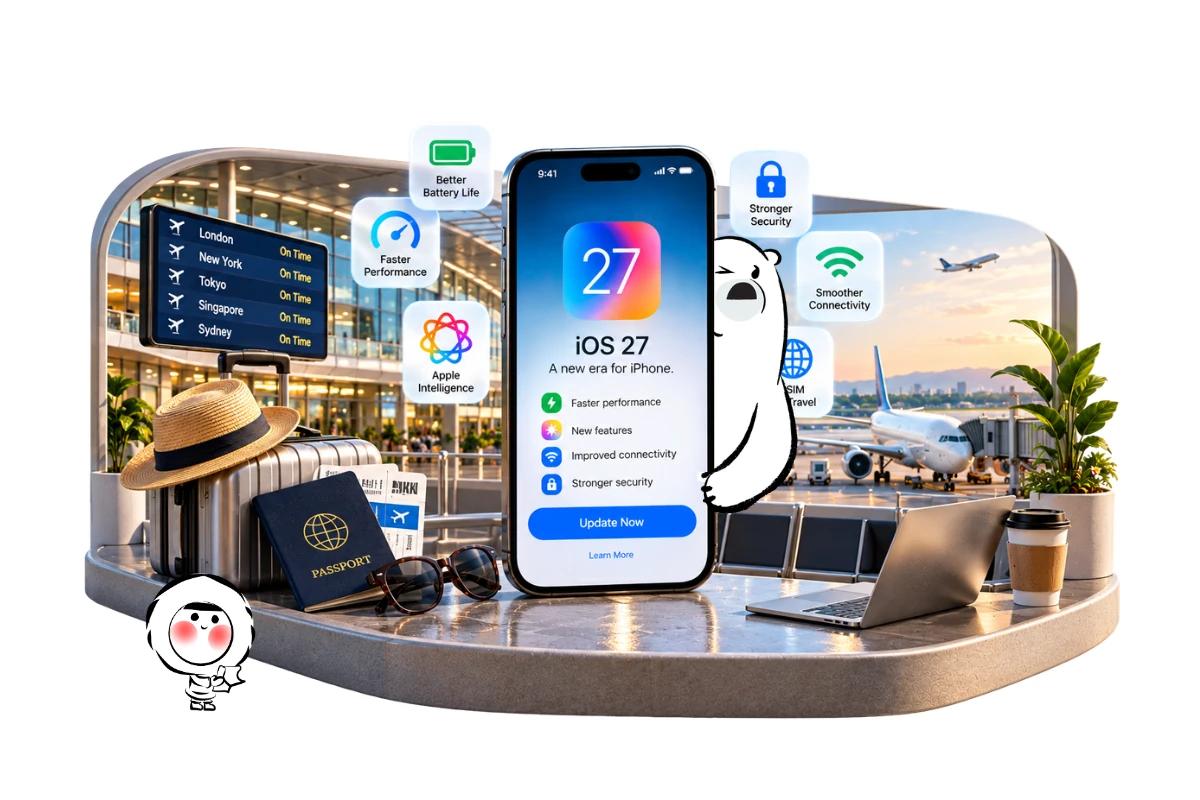
In 2026, the comparison is also less rigid than it used to be. Android 17 is rolling out across eligible devices with new multitasking, security and AI capabilities, while Apple’s current iOS 27 introduces Siri AI alongside performance and connectivity improvements. Features and availability can still differ by phone, manufacturer, region and language. Google’s Android 17 announcement and Apple’s iOS 27 overview provide the current platform details.
iPhone vs Android At A Glance
For most buyers, the choice can be narrowed down quickly.
Choose an iPhone if you:
- Already use a Mac, iPad, Apple Watch or AirPods
- Prefer a consistent interface across supported iPhones
- Want close integration between Apple devices and services
- Prefer choosing from a relatively focused range of phones
- Regularly use features such as AirDrop, iMessage, FaceTime or Apple Wallet
Choose Android if you:
- Want a much wider selection of phones, sizes and price points
- Prefer deeper interface customization
- Want more choice between manufacturers and hardware designs
- Use Google’s ecosystem heavily
- Want features such as foldable phones or other form factors not available in Apple’s lineup
Neither list makes one platform universally superior. Android covers devices from numerous manufacturers, so comparing “Android” with an iPhone is partly a comparison between an operating system and an entire hardware ecosystem.
The Difference Between iPhone, iOS And Android
An iPhone is a physical smartphone made by Apple, while iOS is the operating system running on it. Apple controls both the hardware and software.
Android is an operating system developed by Google and used by multiple manufacturers. Samsung, Google, Motorola, OnePlus and other brands build phones around Android, often adding their own interfaces and features.
That distinction matters throughout an iPhone vs Android comparison.
An iPhone 18 Pro and a low-cost Android phone can both represent their respective platforms, but comparing their cameras, battery life or performance tells you very little about Android phones as a whole.
For hardware-dependent features, compare phones from similar price and product tiers.
Ease Of Use And Customization
iOS emphasizes consistency. Supported iPhones share the same basic interface and receive Apple’s version of iOS directly. Moving between recent iPhones therefore involves relatively little relearning.
Android gives users more freedom to change how their phone behaves and looks. Home screens, default apps, launchers, widgets and system behavior can offer considerably more flexibility, although the available options depend on the manufacturer.
Manufacturers also modify Android. Google’s Pixel interface is not identical to Samsung’s One UI, for example.
The practical choice is less about which interface is objectively easier and more about whether you value consistency or flexibility.
Apps And Everyday Software
Both iOS and Android provide access to the major categories of apps most travelers and everyday users need, including messaging, banking, navigation, airlines, accommodation, streaming and social media.
The differences become more noticeable around platform-specific services and accessories.
Apple integrates services such as iMessage, FaceTime, AirDrop, iCloud and Apple Wallet closely with iPhone and other Apple products. Android connects strongly with Google’s services and also gives manufacturers room to build their own ecosystems.
Cross-platform barriers are gradually shrinking. Google announced in May 2026 that Quick Share compatibility with AirDrop was expanding from supported Pixel phones to additional Android manufacturers, while Android-to-iOS messaging and device switching have also continued to improve.
For someone who already owns several devices from one ecosystem, those existing products may matter more than small differences between individual apps.
Security And Privacy
Both modern iPhones and Android phones include substantial security protections, but their security models are not identical.
Apple controls iPhone hardware, iOS and its primary app distribution ecosystem, giving it tight control over much of the platform. Android operates across many manufacturers, meaning update schedules, manufacturer policies and supported security features can vary between devices.
Android provides centralized security and privacy controls covering areas such as Google Play Protect, device locks, account security, permissions and system updates. Google’s Android security and privacy documentation explains the current controls available on supported versions.
A blanket claim that one operating system is “secure” and the other is “unsafe” is misleading. Keeping a supported phone updated, using a strong device lock and installing trustworthy apps are important on either platform.
Long-term security also depends on how long the specific phone manufacturer commits to supplying software and security updates.
Software Updates And Longevity
Apple’s control over both hardware and software makes its update situation relatively straightforward. Apple publishes compatible iPhone models for each major iOS release, and eligible devices receive the corresponding iOS update directly.
Android requires more attention to the manufacturer.
Android 17 began rolling out to Pixel devices in June 2026, with other eligible Android devices following during 2026. The exact timing depends on the manufacturer and model.
That makes the phone’s update policy an important buying criterion. Two Android phones launched at similar prices can have different support commitments.
Buyers planning to keep a phone for several years should check the manufacturer’s stated software and security support for the exact model rather than assuming every Android phone follows Google’s Pixel schedule.
Camera And Video
There is no meaningful universal winner for iPhone vs Android camera quality because Android covers too many different devices.
Current flagship iPhones and premium Android phones can both deliver excellent photography and video, but they may emphasize different strengths. Processing style, optical zoom, low-light photography, stabilization, video features and manual controls can vary considerably.
The same applies to travel photography. A traveler who wants long-range zoom for wildlife or distant architecture may prioritize different hardware from someone recording lots of video.
Compare specific phones in the same price class rather than comparing the operating-system logos.
For travelers, also consider storage capacity and battery use. Shooting large quantities of high-resolution photos and video can consume both quickly.
Battery Life And Charging
Battery performance is another hardware question rather than an iOS-versus-Android contest.
Screen size, battery capacity, chipset efficiency, display settings, cellular conditions, applications and individual usage all affect endurance. Even phones from the same manufacturer can behave very differently.
Travel can increase power consumption because phones spend more time running navigation, cameras, translation tools, mobile data and transport apps. Weak cellular reception can also increase power use as the device works to maintain a connection.
For frequent travelers, look at battery testing for the exact phone model and consider how quickly it can recharge. A theoretical platform advantage matters less than whether your particular phone survives a long day of maps, photos and mobile data.
AI Features In 2026
Artificial intelligence is becoming a major part of both ecosystems, but access depends heavily on hardware.
Apple’s iOS 27 introduces Siri AI and additional Apple Intelligence features, although some capabilities depend on compatible hardware, language and region. Apple says Siri AI is rolling out in English first.
Google released Android 17 in June 2026 with platform improvements covering productivity, gaming and security. Google also says selected advanced devices are receiving Gemini Intelligence, so owning a phone that runs Android 17 does not automatically mean every AI capability is available.
That makes AI another area where the exact device matters more than the operating-system name alone.
Before buying primarily for an AI feature, check whether that feature works on the specific model and in the language and country where you intend to use it.
Get Eskimo eSIM to stay connected globally
Need internet while travelling? Here's what we recommend:

Fixed data plans
- No speed reduction
- No expiry, keep your data forever
- Transfer data to anyone
- Personal hotspot


Ecosystems And Switching Costs
The biggest difference between iPhone and Android may only become obvious after you own several connected devices.
An iPhone can work particularly well alongside a Mac, iPad, Apple Watch and AirPods. Features such as device handoff, shared accounts, AirDrop and synchronized services reduce friction inside Apple’s ecosystem.
Android provides more hardware diversity. Google’s services work across a broad range of devices, while manufacturers such as Samsung build their own connected ecosystems around phones, watches, tablets, earbuds and other products.
Switching platforms is therefore not only about replacing a phone.
Photos, passwords, messaging habits, smartwatches, accessories, purchased apps and cloud services can all affect the cost and inconvenience of moving.
If you are changing platforms and already use eSIM, Eskimo’s instructions for transferring an eSIM from iPhone to Android explain the additional mobile-data setup involved. Travelers moving the other way can follow the Android-to-iPhone eSIM transfer steps.
iPhone vs Android For International Travel
For international travel, neither operating system automatically provides better mobile reception.
Network performance depends on factors including the exact phone’s supported cellular bands, local networks, congestion, terrain and the service being used.
Instead, check these practical details before traveling:
- Whether your exact phone supports eSIM
- Whether it can keep two SIM or eSIM lines active
- Whether the phone is carrier-unlocked
- Whether the model sold in your country has regional SIM differences
- Whether its cellular bands are suitable for your destination
- How easily you can select a travel eSIM for mobile data
Apple supports eSIM on many iPhone generations, but SIM configurations vary by model and purchase region. Apple’s current eSIM support documentation shows those differences, including single-eSIM and dual-eSIM configurations.
Android is more variable because eSIM support depends on the manufacturer and model. Do not assume that a phone supports eSIM simply because it runs a recent Android version.
That distinction becomes particularly important for travelers buying phones in one country and using them in another.
Dual SIM And eSIM Abroad
Dual SIM can be particularly useful overseas because it can let you keep your primary line available while using another SIM or eSIM for travel data.
Apple specifically documents using Dual SIM to add a cellular data plan while traveling internationally on compatible iPhones. Recent models can offer extensive eSIM capabilities, although regional configurations differ.
Android phones can offer similar flexibility, but there is no single specification covering every Android device.
Before departure, check the model number rather than just the phone name. Regional versions of what appears to be the same device can sometimes have different SIM configurations.
If you use an iPhone, Eskimo’s iOS eSIM installation instructions cover the available setup methods. Android users can follow the corresponding Android eSIM installation steps.
Travel Apps, Maps And Payments
Either platform can handle the core digital tools needed for most international trips.
Google Maps, airline apps, hotel bookings, translation services and major messaging platforms are available across both ecosystems. Apple Maps and Google Maps also offer downloadable or offline functionality in supported areas, which can reduce dependence on live connectivity.
Payments require more destination-specific checking. Apple Pay and Google Wallet availability depends on the country, bank, card issuer and merchant.
Before leaving home, download essential transport and airline apps, save important documents offline and confirm that your payment cards work with your chosen wallet.
A phone that performs beautifully at home becomes considerably less useful at an airport gate if the boarding pass, authentication app or travel eSIM was never configured.
Choosing An iPhone
An iPhone makes the strongest case for someone already invested in Apple’s ecosystem.
It may suit you particularly well if you value:
- Tight integration with Mac, iPad, Apple Watch or AirPods
- A consistent software experience
- Apple’s communication and sharing services
- A relatively straightforward OS update structure
- Broad eSIM support across many recent models
Travelers should still check the specific iPhone and its purchase region. Apple’s SIM configuration is not identical worldwide.
Choosing An Android Phone
Android makes the strongest case for someone who values hardware variety and customization.
It may suit you particularly well if you want:
- More manufacturers and form factors to choose from
- A wider spread of price points
- Greater interface customization
- Deeper integration with particular Google or manufacturer services
- Hardware options such as foldable devices
The extra choice also creates extra homework. Software support, eSIM capability, dual-SIM behavior, cameras, charging and battery performance can vary substantially between Android phones.
Instead of asking whether Android supports something, check whether the exact Android phone you intend to buy supports it.
Making The Choice
The most useful iPhone vs Android decision comes down to priorities rather than a universal winner.
Choose based on the ecosystem you already use, the amount of customization you want, your budget, the manufacturer’s update commitment and the hardware features that matter to you.
For travelers, add another layer to that checklist: eSIM compatibility, dual-SIM capability, carrier-unlocked status and regional hardware configuration.
Those details can matter far more abroad than the logo on the back of the phone.
Using Your Phone On International Trips
Mobile data abroad can be useful for boarding passes, live flight and train updates, navigation, translation and authentication codes. Reception is generally strongest around populated areas and major transport corridors, but it can weaken in underground stations, tunnels, remote roads and rural areas, while busy airports and event venues can experience congestion.
An Eskimo Global eSIM plan is the most relevant option for travelers moving between multiple countries. Eskimo’s broader network footprint extends across 175 countries and regions overall, which can be useful for stopovers and future international trips even though the destinations included in a particular Global plan should be checked before travel. The universal eSIM means one reusable Eskimo eSIM can support multiple eligible destinations without installing a different profile for every trip.
New users can also claim a free 250MB Global eSIM.
FAQs:
Which is better, iPhone or Android?
Neither is universally better. iPhone is often a strong fit for people invested in Apple’s ecosystem and who prefer consistency, while Android offers greater hardware choice and customization. The best choice depends on your devices, budget and priorities.
Is iPhone more secure than Android?
Both platforms provide extensive security protections. Apple’s tightly controlled hardware and software ecosystem differs from Android’s multi-manufacturer model, where update policies can vary. Security also depends on keeping the device updated, using strong authentication and installing trustworthy apps.
Which lasts longer, iPhone or Android?
There is no single answer for all devices. Check the software-support commitment, battery replacement options, repairability and hardware quality of the exact phone. Android update policies vary by manufacturer and model.
Which is better for international travel, iPhone or Android?
Both can work well for international travel. Check the exact model’s eSIM support, dual-SIM capability, carrier-lock status, supported cellular bands and regional configuration rather than choosing solely by operating system.
Do iPhone and Android both support eSIM?
Many do, but not every device has the same capabilities. Apple supports eSIM across many recent iPhones, while Android support varies by manufacturer, model and region. Verify the exact device before buying or traveling.